Localization.One offers native support for Android development workflows. Instead of dealing with generic JSON files and writing custom conversion scripts, you can export your translations directly in the standard strings.xml format required by Android Studio.
Why Developers choose our Android API?
- Native Format: We generate valid XML ready for res/values/strings.xml.
- Smart Escaping: We automatically handle special characters. Apostrophes (') become \', and ampersands are escaped, preventing build errors in Android Studio.
- Key Sanitization: If your translation keys contain spaces or dashes (e.g., "Main Menu"), we automatically convert them to valid snake_case resource IDs (main_menu).
Advanced Project Management
We provide powerful tools to keep your localization organized, no matter how large your project grows.
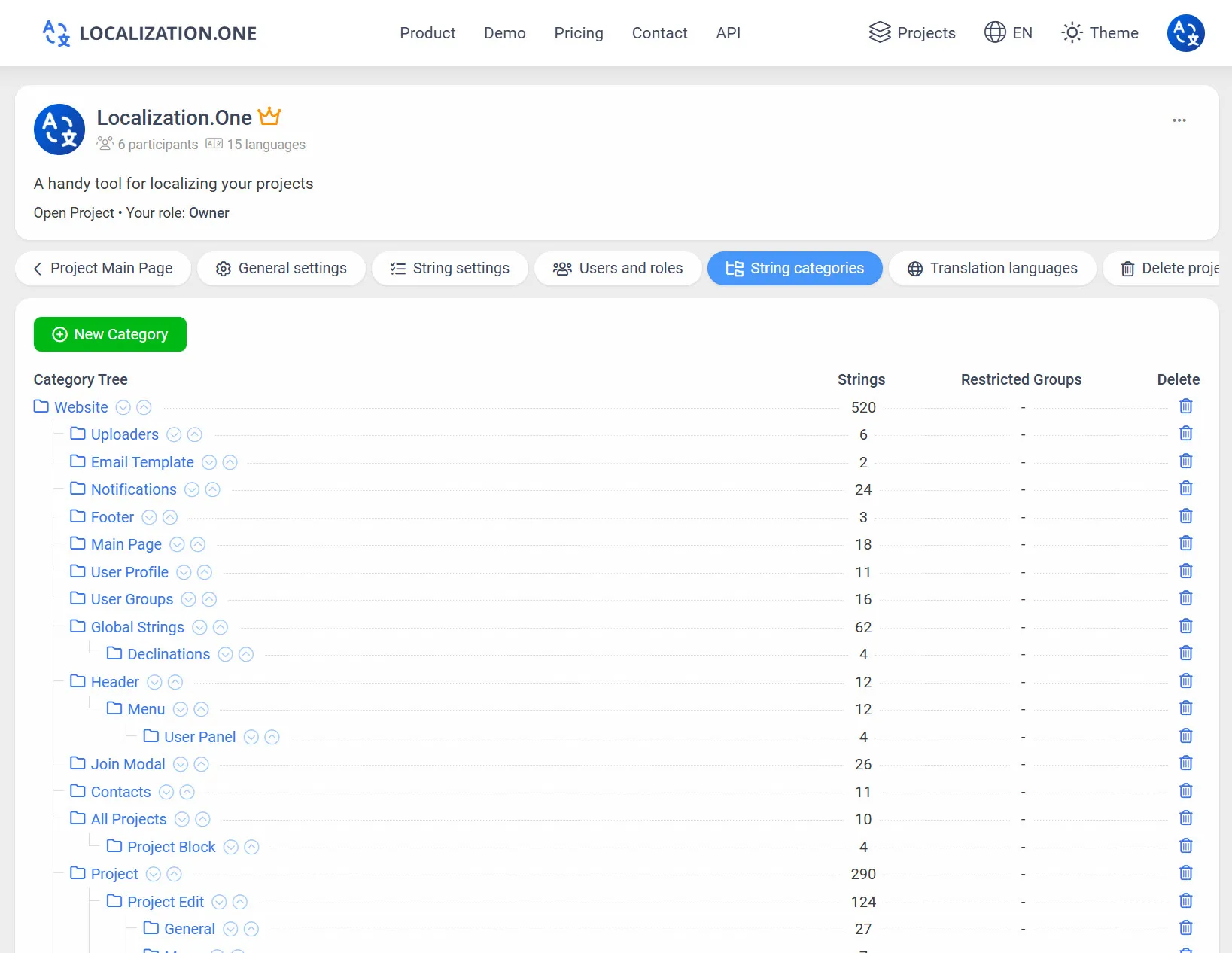
Categorization: Group your strings into a logical folder tree (e.g., Auth > Login, Profile > Settings).
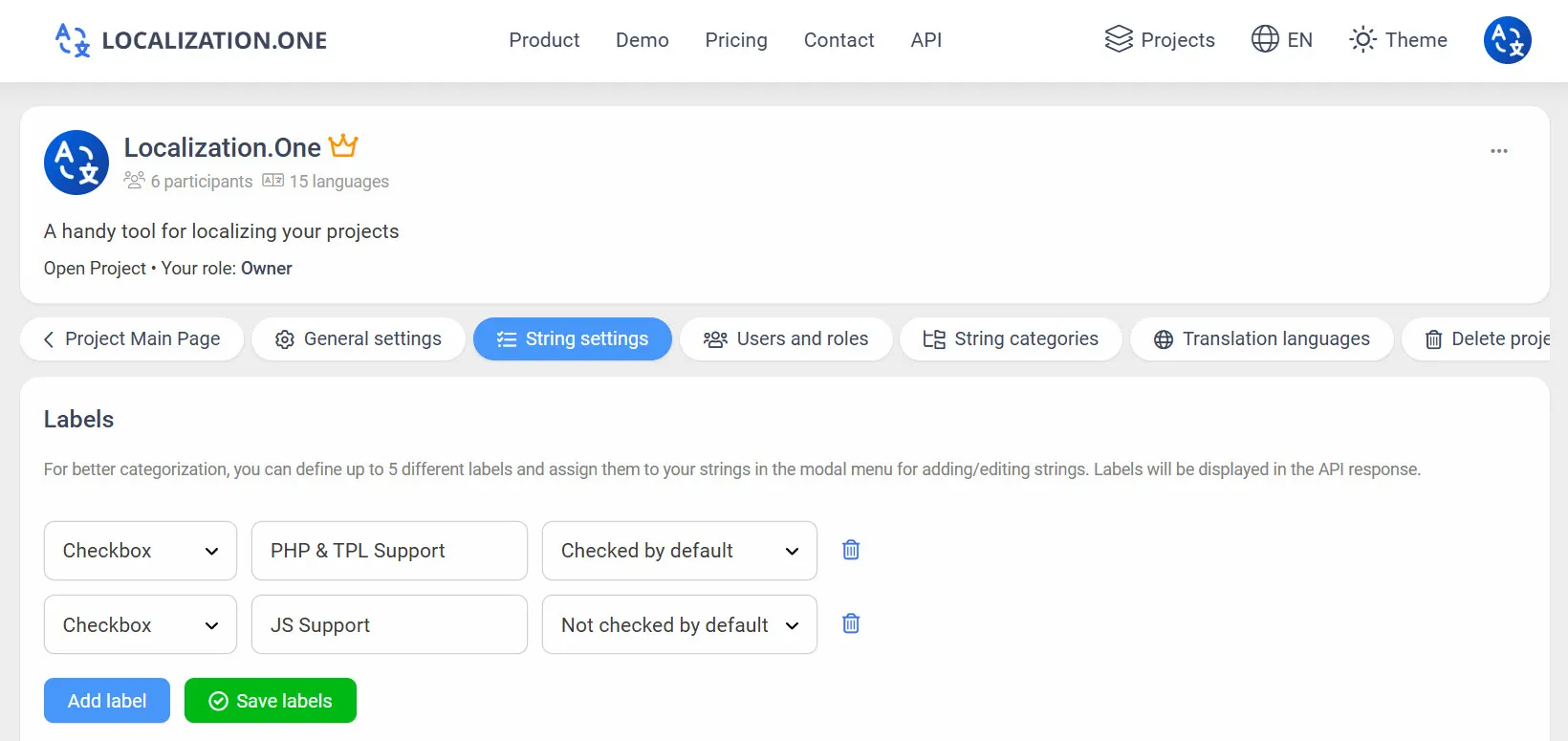
Labels & Tags: Mark strings with custom labels to filter exports via API.
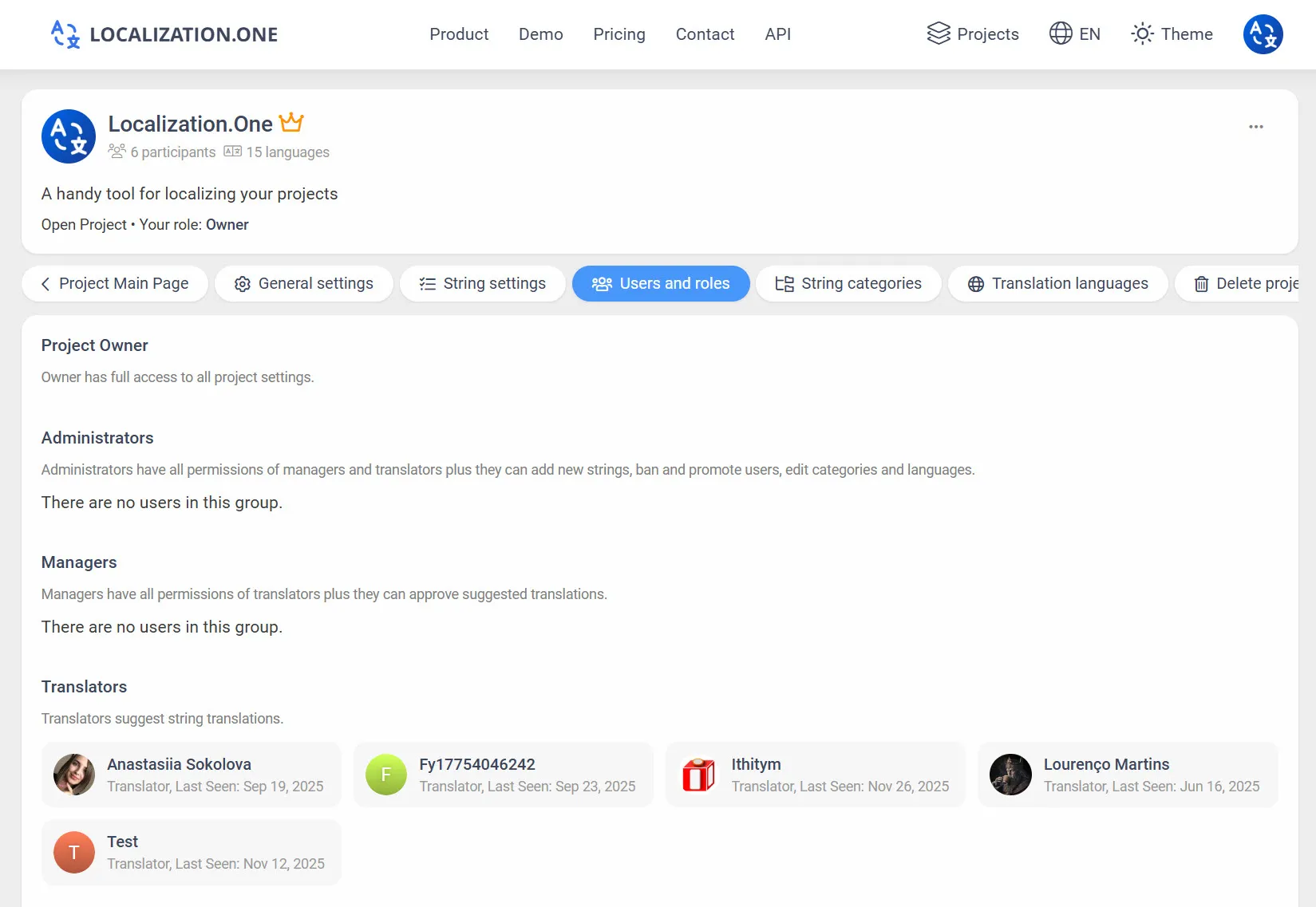
Roles & Permissions: Invite unlimited team members and assign granular roles (Owner, Admin, Manager, Translator).
Webhooks: Trigger your CI/CD builds automatically when translations are updated.
How to Download
Option 1: Manual Export (UI)
Perfect for testing or one-off updates.
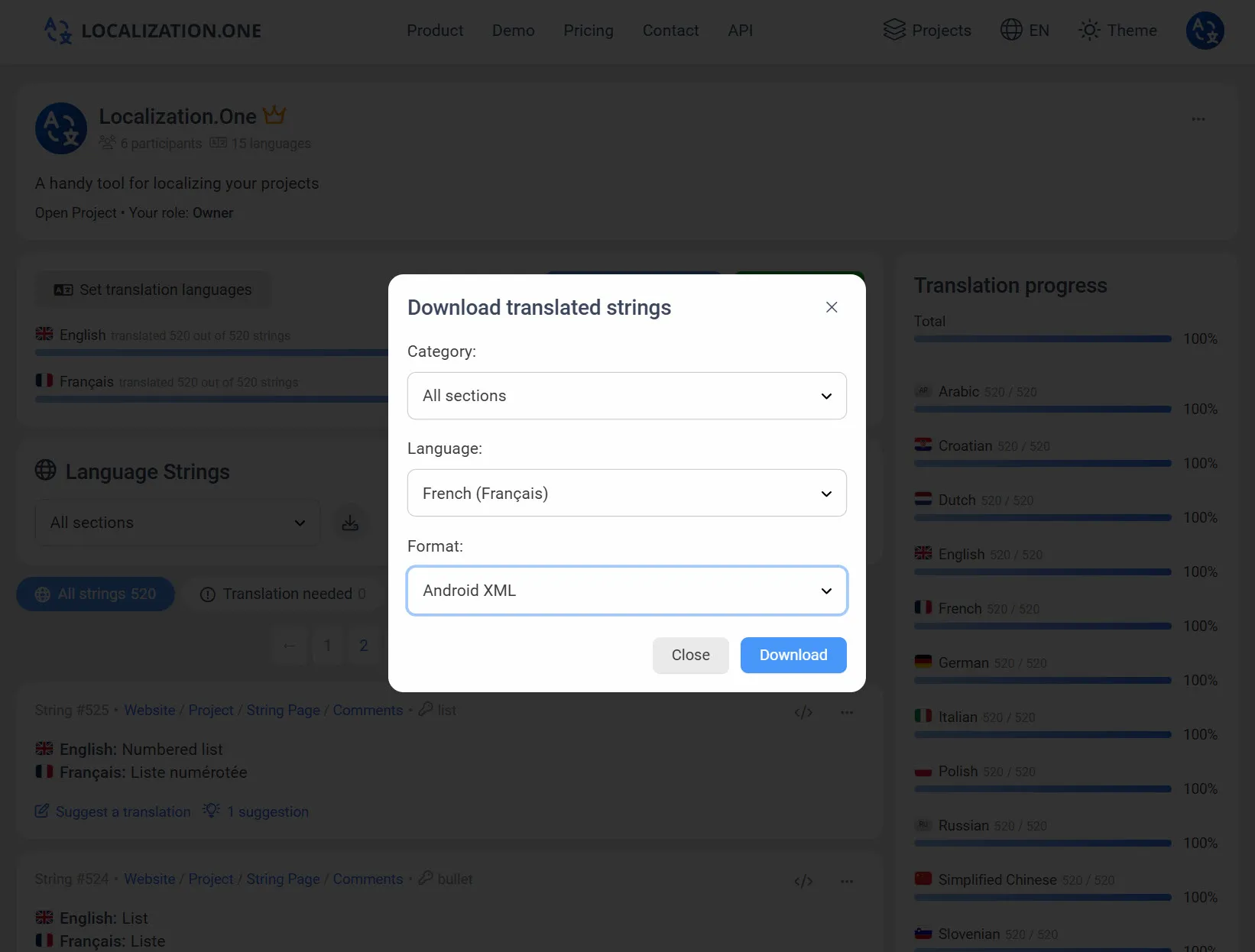
- Go to your Project Dashboard.
- Click the Download button.
- Select Android XML from the format dropdown.
- Choose the language and download the strings.xml file immediately.
Option 2: Automate with API (CI/CD)
Fetch the latest translations directly from your build pipeline using a simple cURL command. Pass your API Token found in the "API and Webhook" settings.
# Fetch English translations and save to strings.xml
curl "https://api.localization.one/{YOUR_API_KEY}/getTranslations?translation_language=1&format=xml-android" > app/src/main/res/values/strings.xml
Option 3: Push via Webhooks
Fully automate your workflow. Configure a Webhook URL in your project settings, and we will notify your server instantly whenever translations are updated or approved.
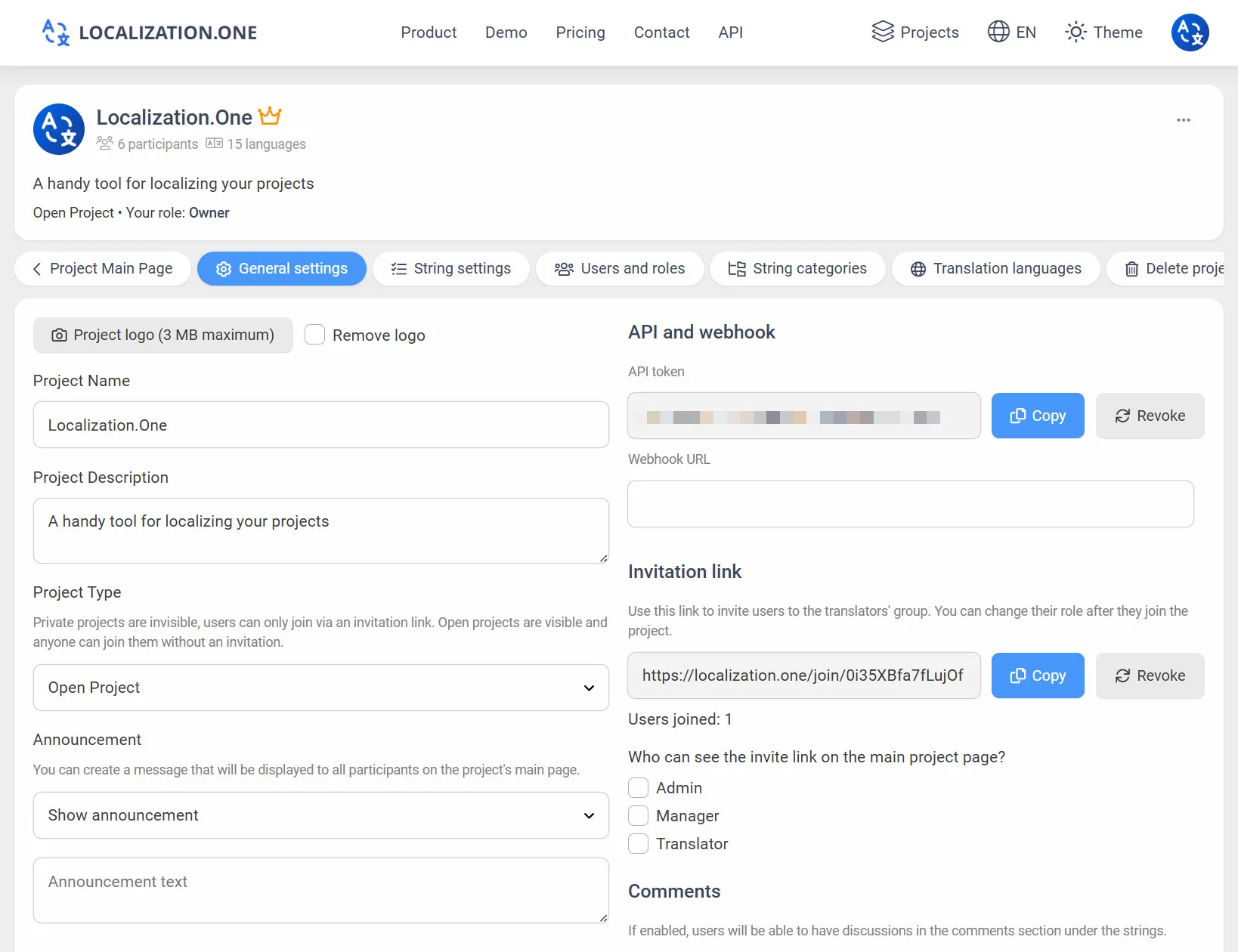
- Quick Updates: Your server receives a POST request shortly after changes (usually within 5 minutes).
- Trigger builds: Use webhooks to trigger a new build in Jenkins or GitHub Actions automatically.
- Sync CMS: Automatically update content on your website or backend without polling the API.
Frequently Asked Questions
Do you support string arrays?
Currently, our API exports individual <string> elements. If you need <string-array>, we recommend grouping them using a naming convention (e.g., items_0, items_1) and mapping them in your code, or contacting support for custom export options.
What about Plurals?
We treat plural forms as separate keys to ensure compatibility across all platforms. You can map them manually in your strings.xml or use our key naming convention (e.g., apple_one, apple_other).
Explore other mobile solutions:
- Developing for iOS? Check out our iOS Strings Guide.
- Using Flutter? See our Flutter ARB Integration.
Ready to automate your localization? Create your free account today.