Localization.One provides native support for iOS development workflows. Instead of manually editing Localizable.strings files and dealing with merge conflicts, you can export your translations directly in the format required by Xcode and Swift.
Why iOS Developers choose our API?
- Native .strings Format: We generate valid files ready for your en.lproj folder.
- Xcode Compatible: Fully compatible with Objective-C (NSLocalizedString) and SwiftUI (Text("key")).
- Smart Escaping: We handle quotes and special characters automatically. Double quotes (") become \", ensuring your project compiles without syntax errors.
Advanced Project Management
Keep your large iOS projects organized and scalable.
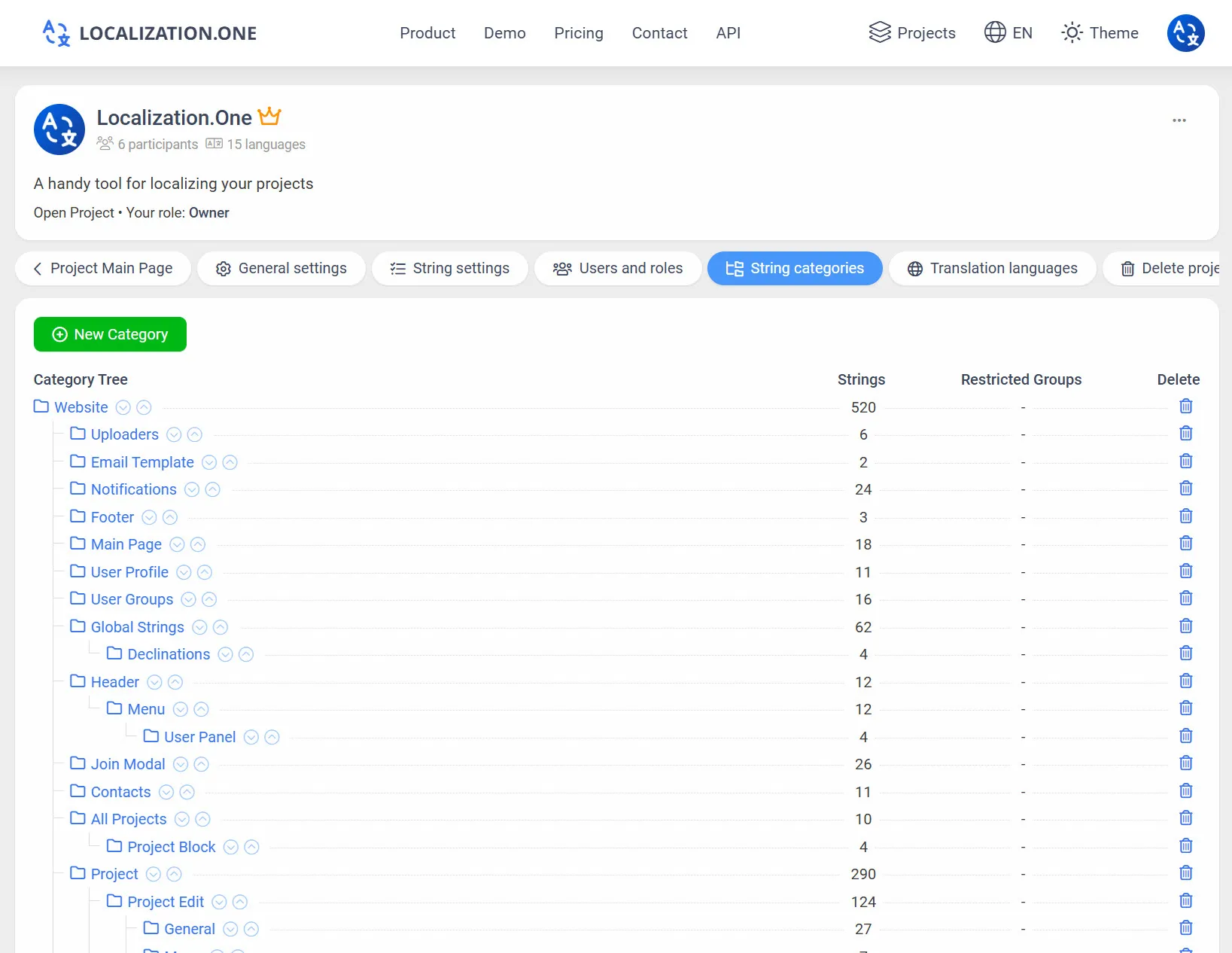
Categorization: Group strings by screen (e.g., Onboarding, Profile) to mirror your app's structure.
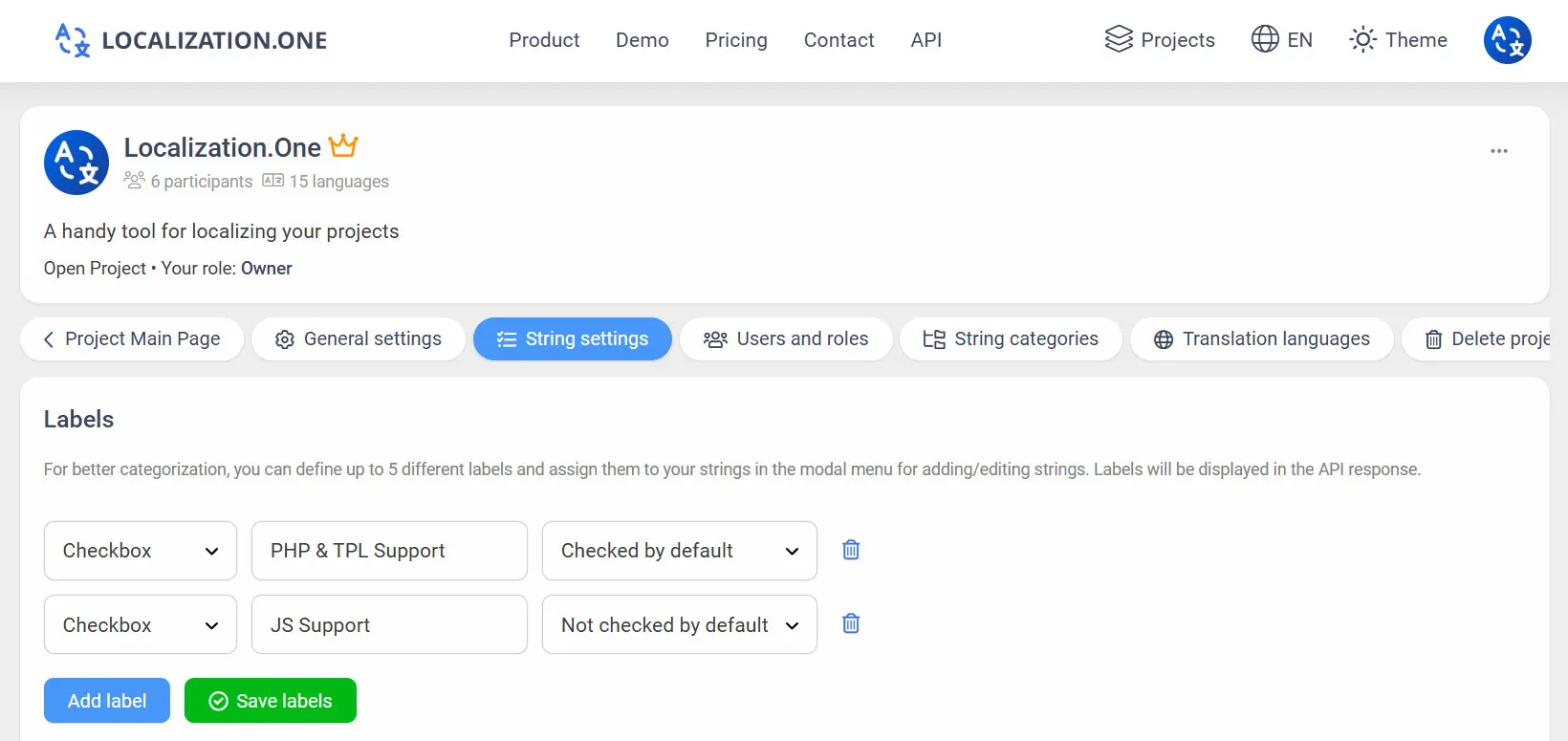
Labels & Tags: Mark strings with custom labels to filter exports via API.
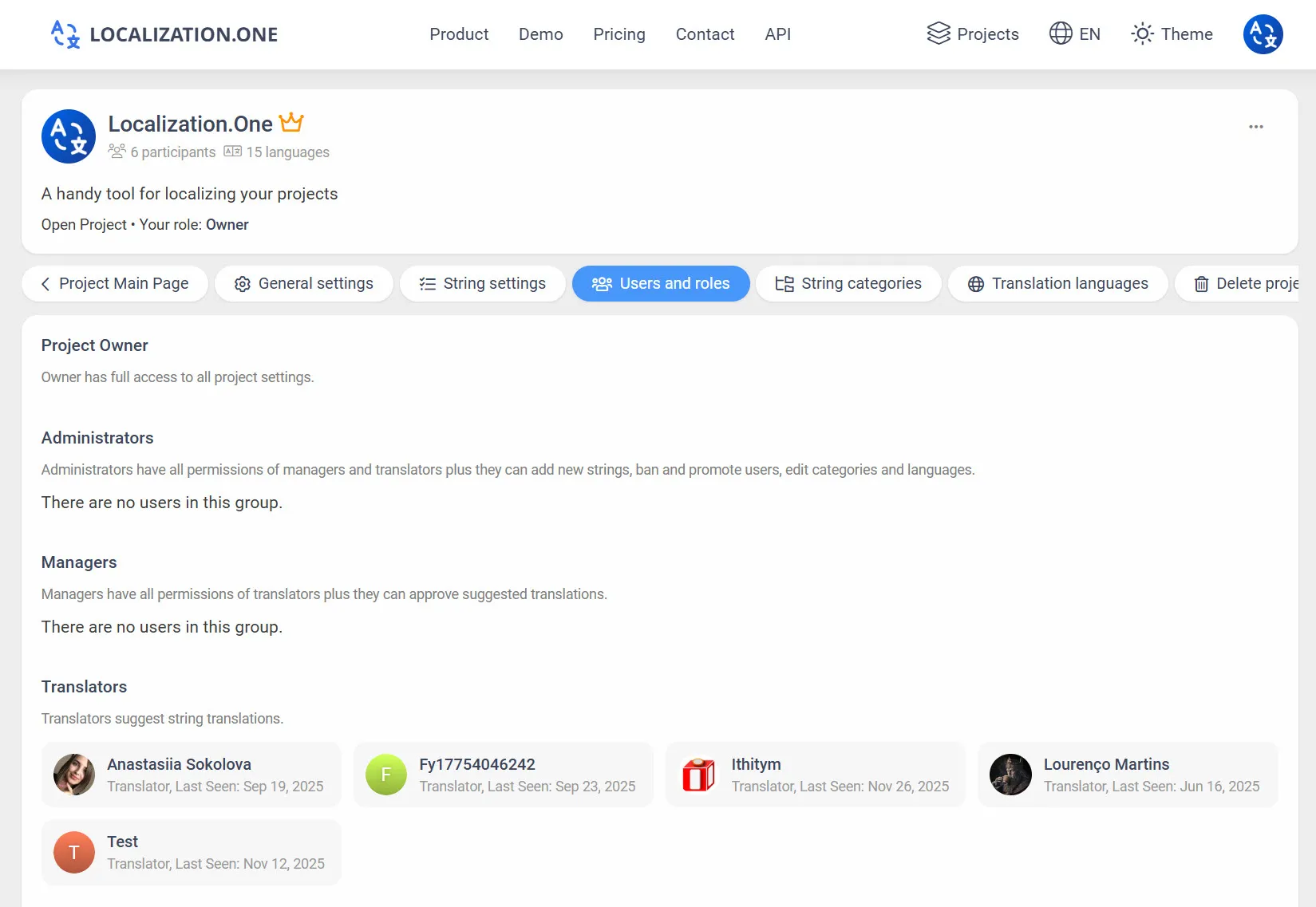
Team Collaboration: Invite designers, managers, and translators. Assign roles like "Translator" or "Admin".
Webhooks: Automatically trigger Fastlane or Xcode Cloud builds when translations are approved.
How to Integrate
Option 1: Manual Export (UI)
Useful for quick updates or sharing files with designers.
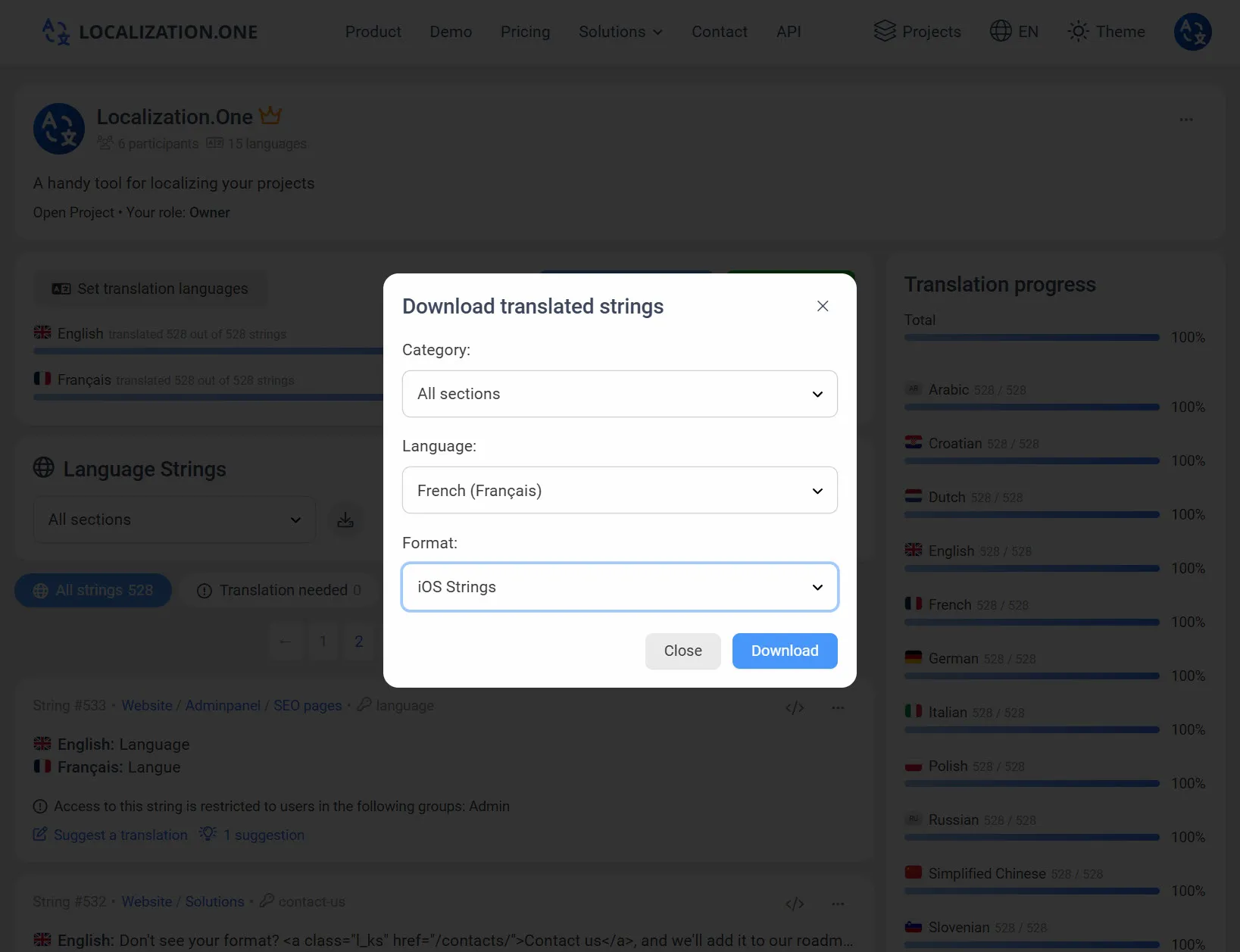
- Go to your Project Dashboard.
- Click the Download button.
- Select iOS Strings from the format dropdown.
- Choose the language and download the Localizable.strings file.
Option 2: Automate with Build Scripts (Run Script Phase)
You can fetch the latest translations automatically every time you build your app. Add a "Run Script" phase in Xcode Build Phases:
# Download English strings
curl "https://api.localization.one/{YOUR_API_KEY}/getTranslations?translation_language=1&format=ios-strings" > ${SRCROOT}/en.lproj/Localizable.strings

# Download Spanish strings
curl "https://api.localization.one/{YOUR_API_KEY}/getTranslations?translation_language=2&format=ios-strings" > ${SRCROOT}/es.lproj/Localizable.strings
Option 3: Push via Webhooks
Configure a Webhook URL in your project settings to receive notifications about translation updates.
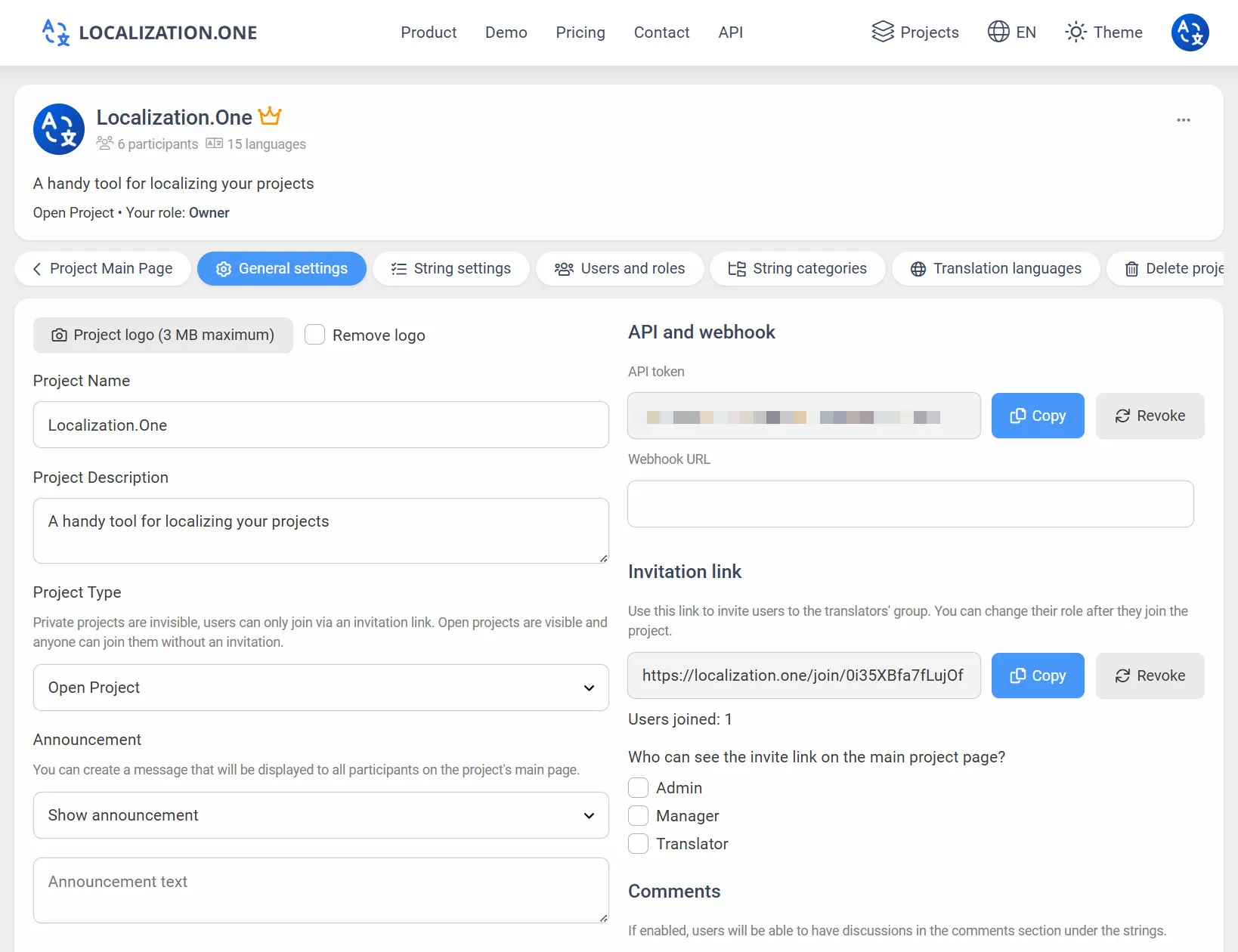
- Quick Updates: Your server receives a POST request shortly after changes (usually within 5 minutes).
- CI/CD Integration: Perfect for triggering workflows in Bitrise, Fastlane, or Xcode Cloud.
Frequently Asked Questions
Does this work with Swift and SwiftUI?
Yes. The standard .strings format is fully compatible with both Objective-C (NSLocalizedString) and SwiftUI (Text("key")).
Can I use .stringsdict for plurals?
Our system exports standard key-value pairs. For complex .stringsdict plurals, we recommend managing the dictionary file separately in Xcode and using our API for the bulk of standard text content.
Explore other mobile solutions:
- Building an Android version? See our Android XML Guide.
- Switching to Cross-platform? Check out Flutter Localization.
Ready to streamline your iOS localization? Create your free account today.