Localization.One seamlessly integrates with modern frontend frameworks. Instead of managing huge, conflict-prone JSON files in your Git repository, you can stream translations directly to your React, Vue, or Angular application.
Why Developers choose our React API?
- Clean JSON Format: We generate a standard key-value object ({ "key": "value" }) compatible with i18next, react-intl, vue-i18n, and other popular libraries.
- Framework Agnostic: While perfect for React, this format works natively with Vue.js, Angular, Svelte, and Node.js backends.
- Conflict Free: Stop merging JSON files manually. Let your team edit translations in our UI, and simply pull the final file during build time.
Advanced Project Management
Scale your frontend localization without the headache.
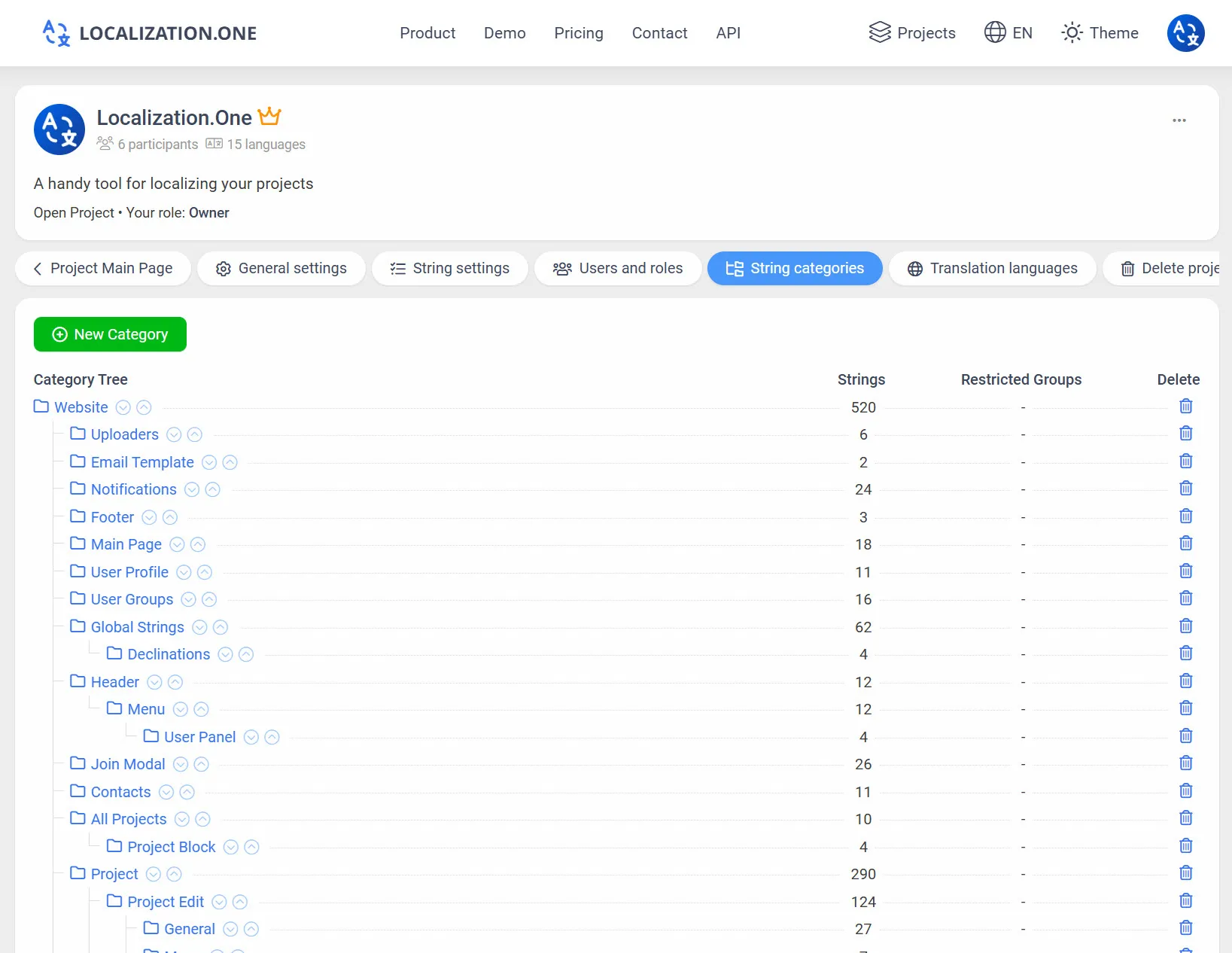
Namespaces: Use Categories to organize strings into separate files (e.g., common.json, home.json, validation.json) to support lazy loading.
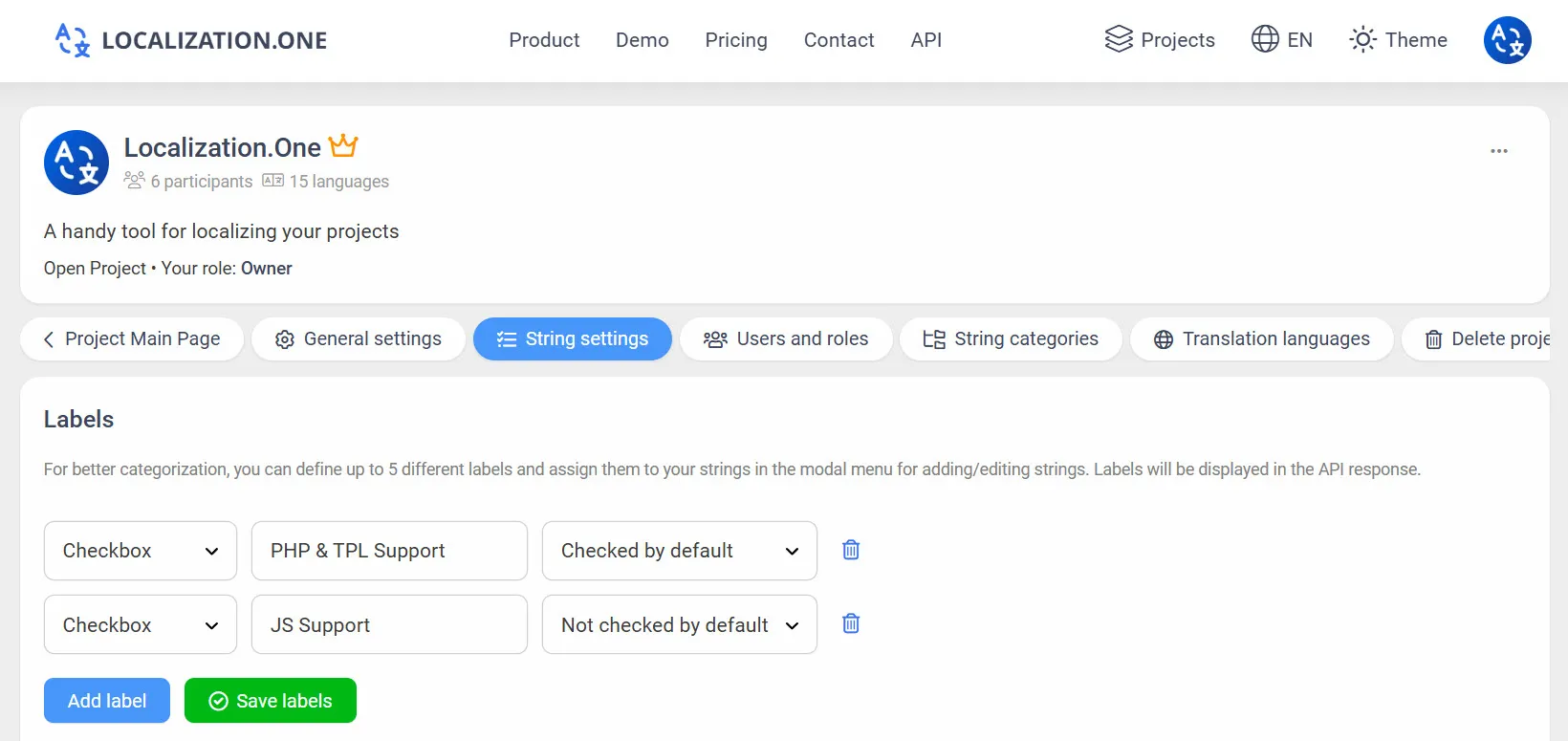
Labels & Tags: Mark strings with custom labels to filter exports via API.
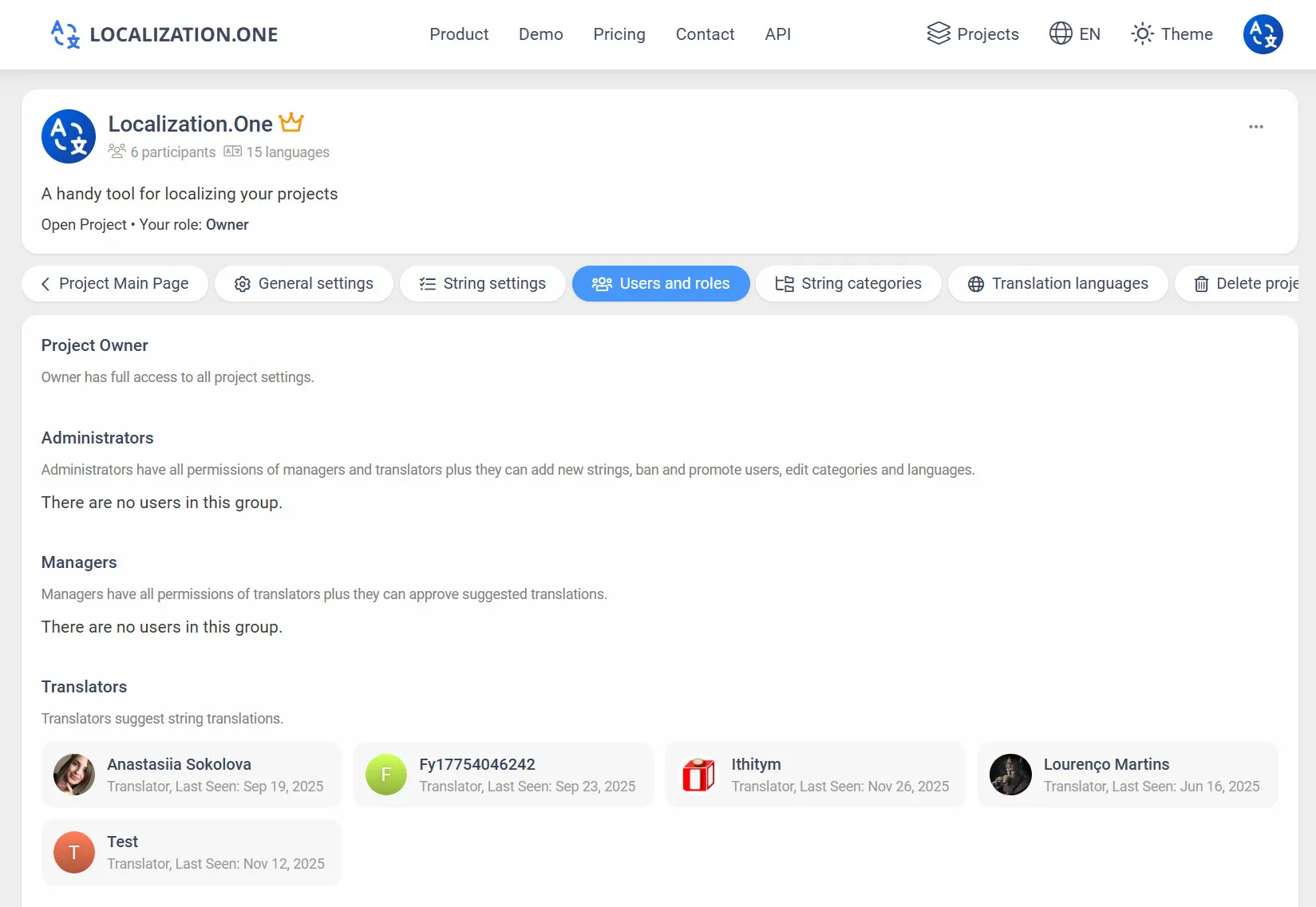
Team Collaboration: Invite designers and copywriters. Assign granular roles (Owner, Admin, Manager, Translator).
Webhooks: Automatically trigger Vercel or Netlify builds when translations are updated.
How to Integrate
Option 1: Manual Export (UI)
Perfect for local development or testing.
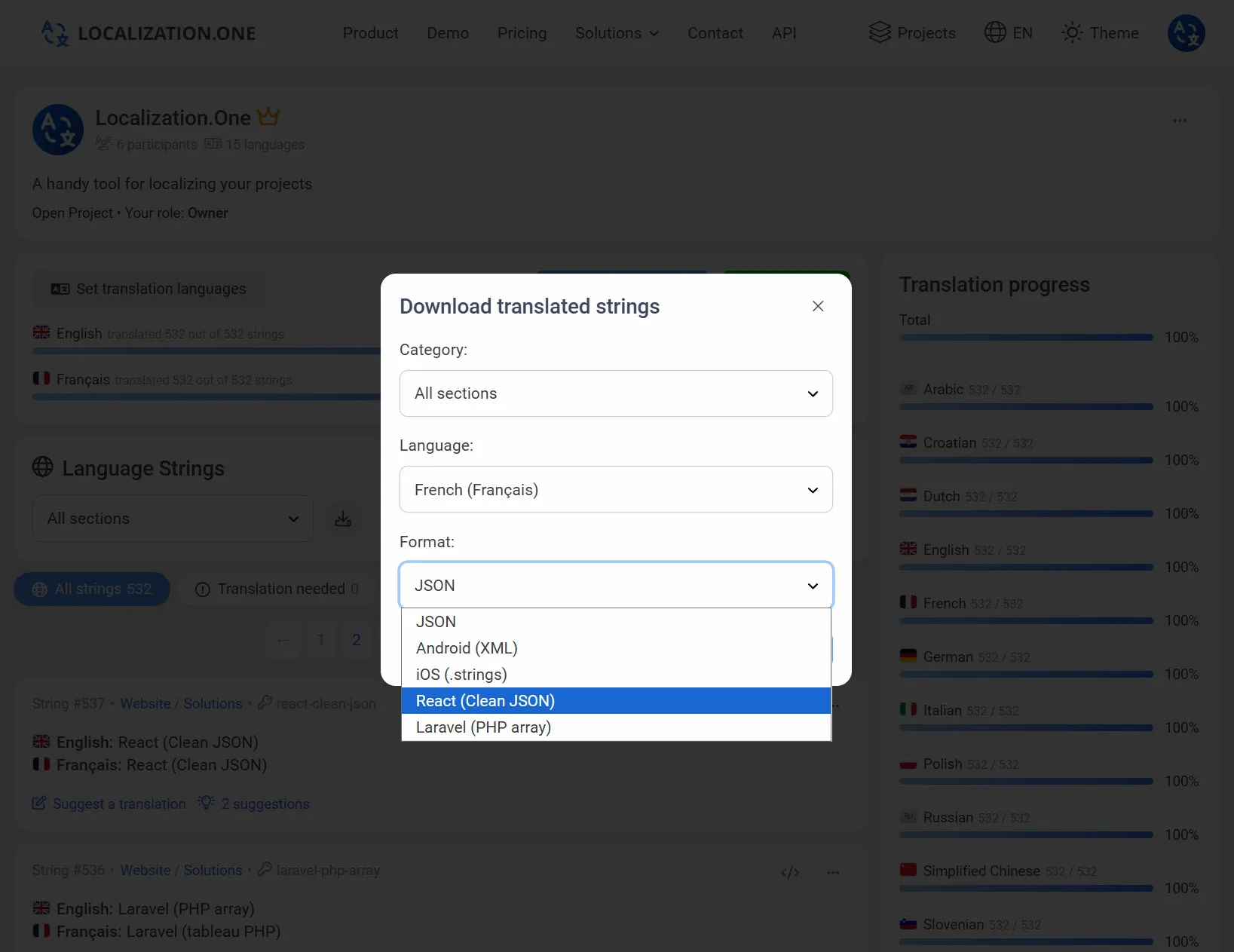
- Go to your Project Dashboard.
- Click the Download button.
- Select JSON (Clean) from the format dropdown.
- Choose the language and download the .json file.
Option 2: Automate with API (CI/CD)
Fetch the latest translations directly in your package.json scripts or CI pipeline. Pass the format=json-clean parameter.
# Download English translations
curl "https://api.localization.one/{YOUR_API_KEY}/getTranslations?translation_language=1&format=json-clean" > src/locales/en/translation.json

# Download Spanish translations
curl "https://api.localization.one/{YOUR_API_KEY}/getTranslations?translation_language=2&format=json-clean" > src/locales/es/translation.json
Option 3: Push via Webhooks
Configure a Webhook URL in your project settings to automate the process entirely.
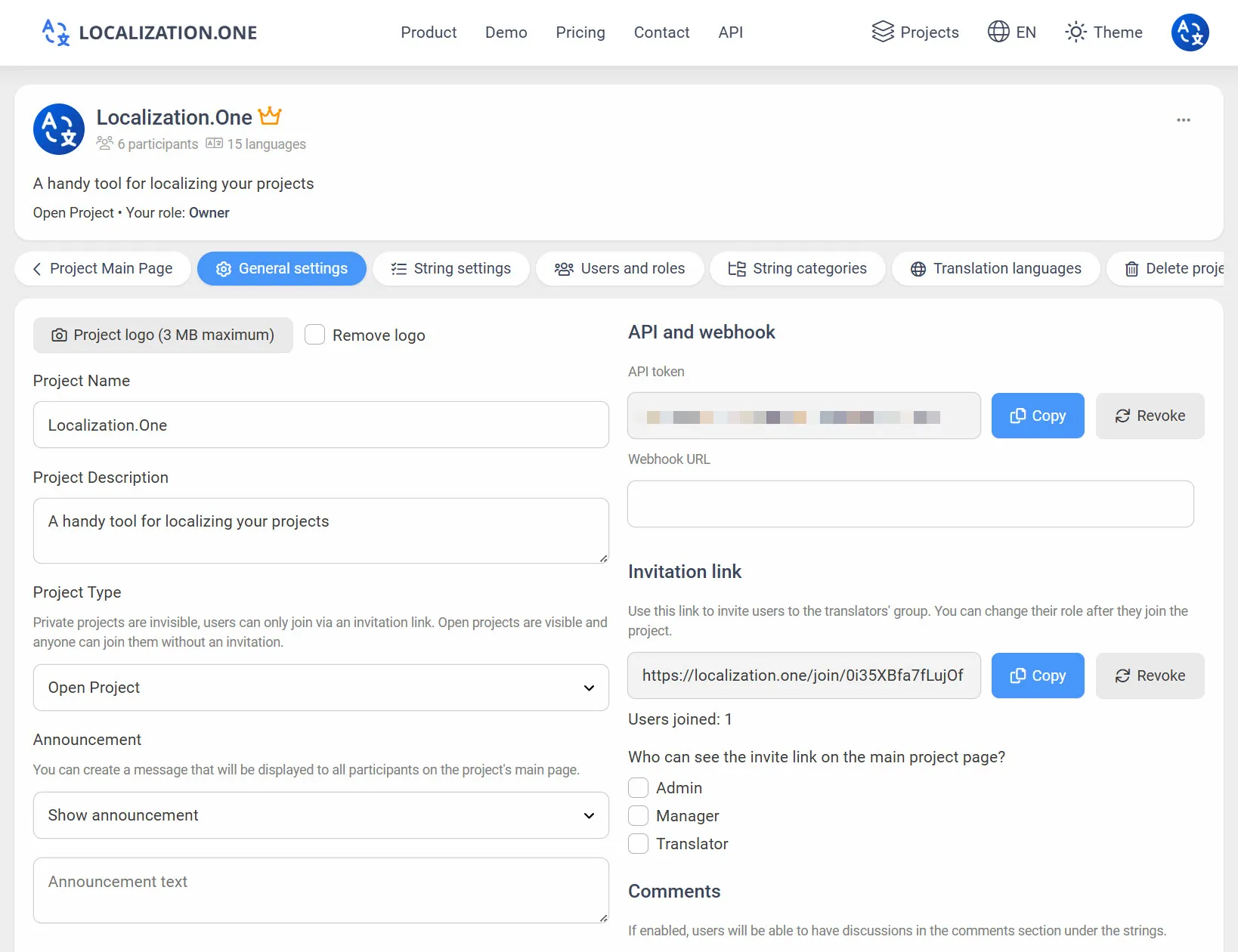
- Quick Updates: Your server receives a POST request shortly after changes (usually within 5 minutes).
- Trigger Builds: Connect webhooks to your CI/CD provider (GitHub Actions, GitLab CI) to rebuild your frontend automatically when content changes.
Frequently Asked Questions
Does this work with Next.js?
Yes. Since Next.js uses standard JSON files for internationalization (i18n), you can simply fetch our json-clean format into your public/locales folder during the build process.
Can I use nested keys?
Currently, we export a flat key-value structure which works perfectly with i18next. If you prefer nested JSON (e.g., home.title), you can process the file after downloading or use dot notation in your keys (home.title).
Also relevant for web developers:
- Backend on PHP? Check out our Laravel Localization Guide.
- Need a universal format? See our CSV Export.
Ready to automate your frontend localization? Create your free account today.